
Your vendor invoices update your prices automatically.
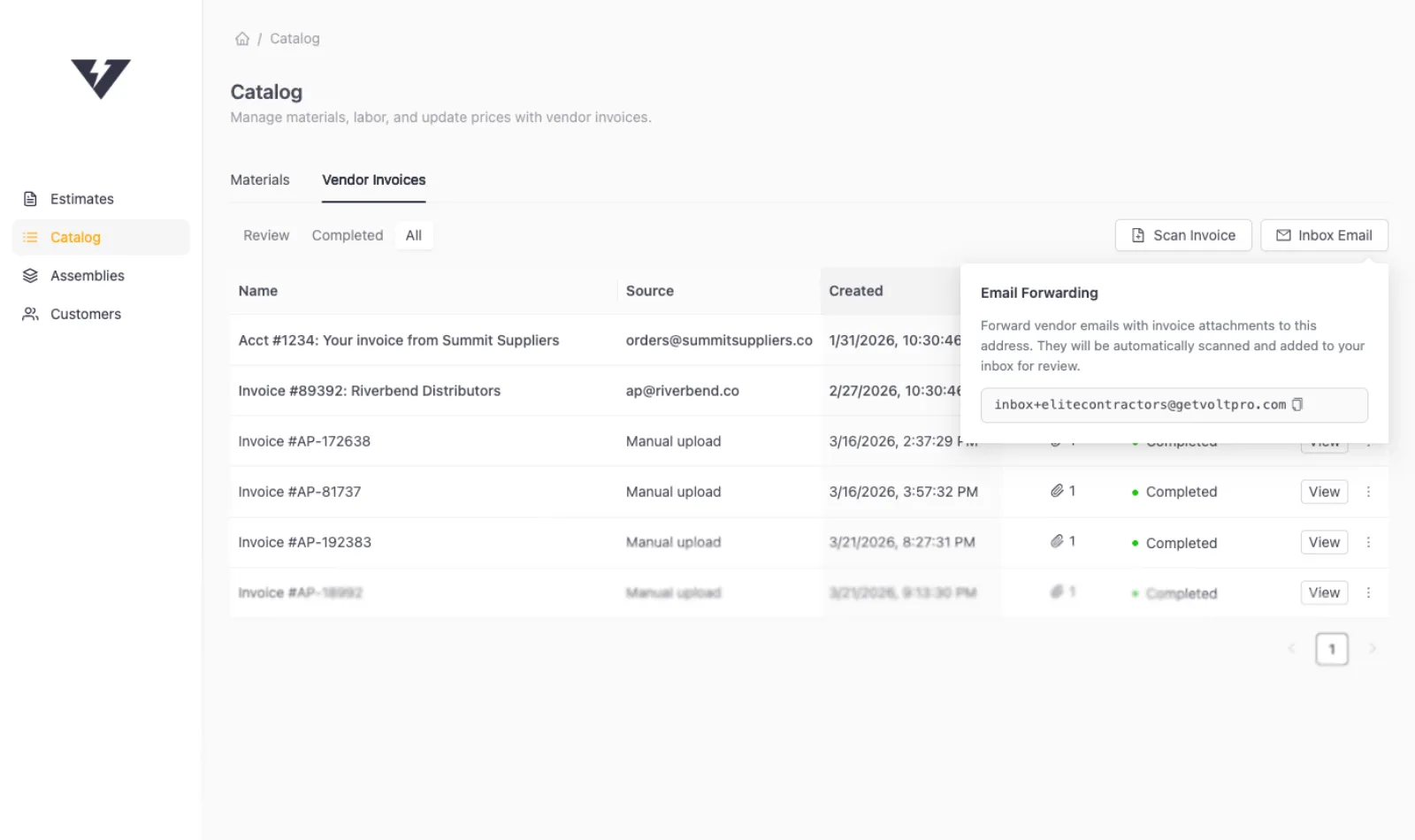
Forward any email with an invoice attachment to your VoltPro inbox, or upload PDFs directly. Every line item is scanned and matched to your existing materials.
No credit card required.
How it works
From vendor invoice to updated prices in three steps.
Step 1
Send your invoices to VoltPro
Forward any vendor email with an invoice attachment, or upload PDFs directly.
Step 2
Line items matched automatically
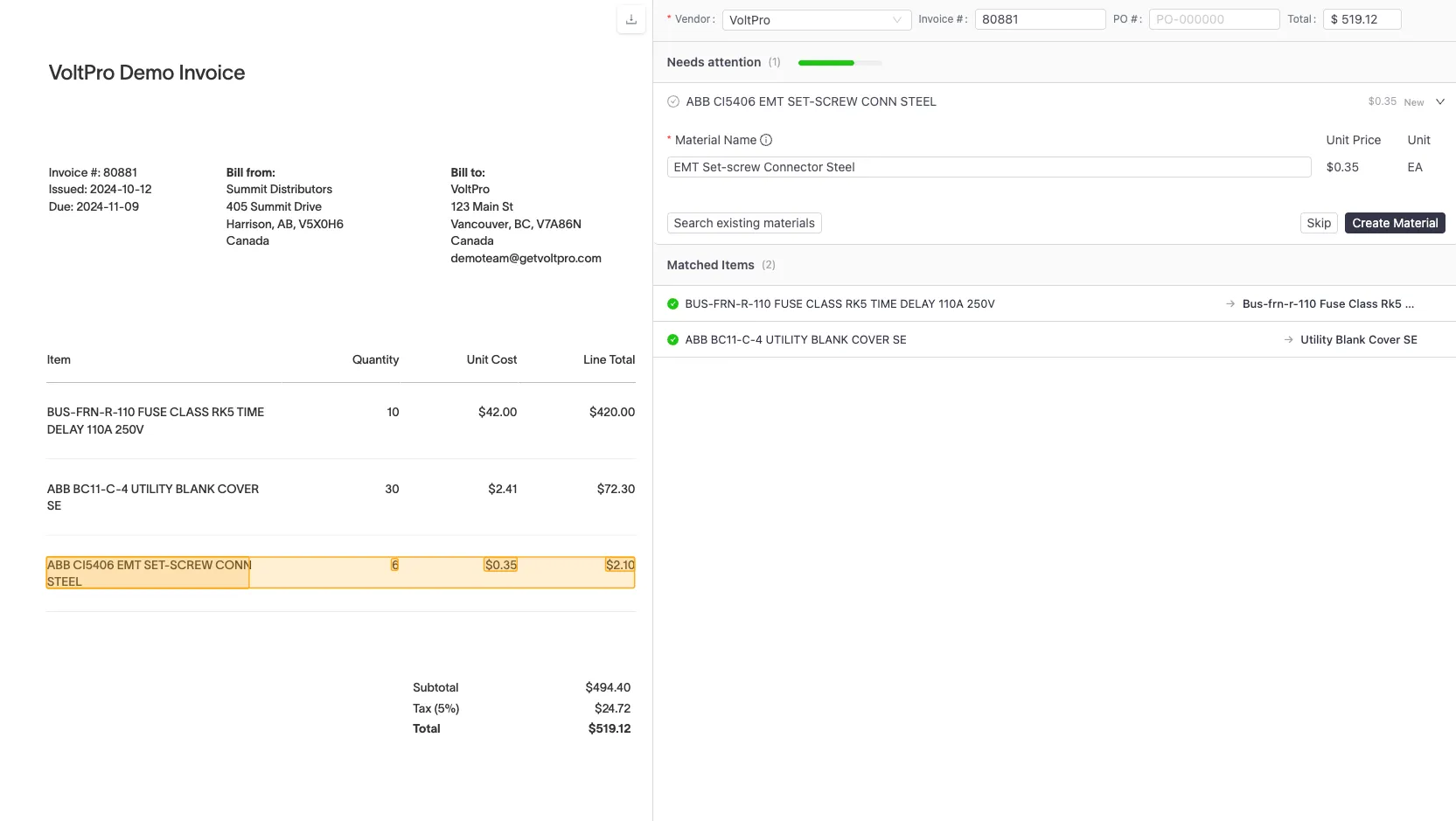
Every line item is read and matched to existing materials in your catalog.
Step 3
Review and confirm
Check the matches, confirm updates, and your prices reflect what you actually pay.
Vendor invoices
Your prices should reflect what you actually pay.
Most contractors price from memory or look up list prices on their supplier's website. Neither reflects what you actually pay. VoltPro pulls pricing from your actual invoices, so every estimate starts with real numbers.
Every invoice stored and organized by vendor
Line items matched to your catalog
Hi,
Please find attached invoice #4821 for your March order. Payment is due within 30 days.
Best regards,
Summit Distributors
Invoice review
Review your matches. Track every price change.
You stay in control. VoltPro does the scanning, but you confirm every update before it touches your catalog.
Confirm, skip, or create
Price history across suppliers
Matching gets smarter over time
VoltPro is exactly what I've been looking for. It handles all the math for labor and profit. The invoice scanning alone saves me hours every week.
Frequently asked questions.
Your next bid starts with better numbers.
Send your first invoice and see your prices update automatically.
Start for free