
Contractor Proposal Software for Electrical, HVAC, and Plumbing Contractors
Start from scratch or bring your spreadsheet. Your customer gets a professional proposal.
No credit card required.
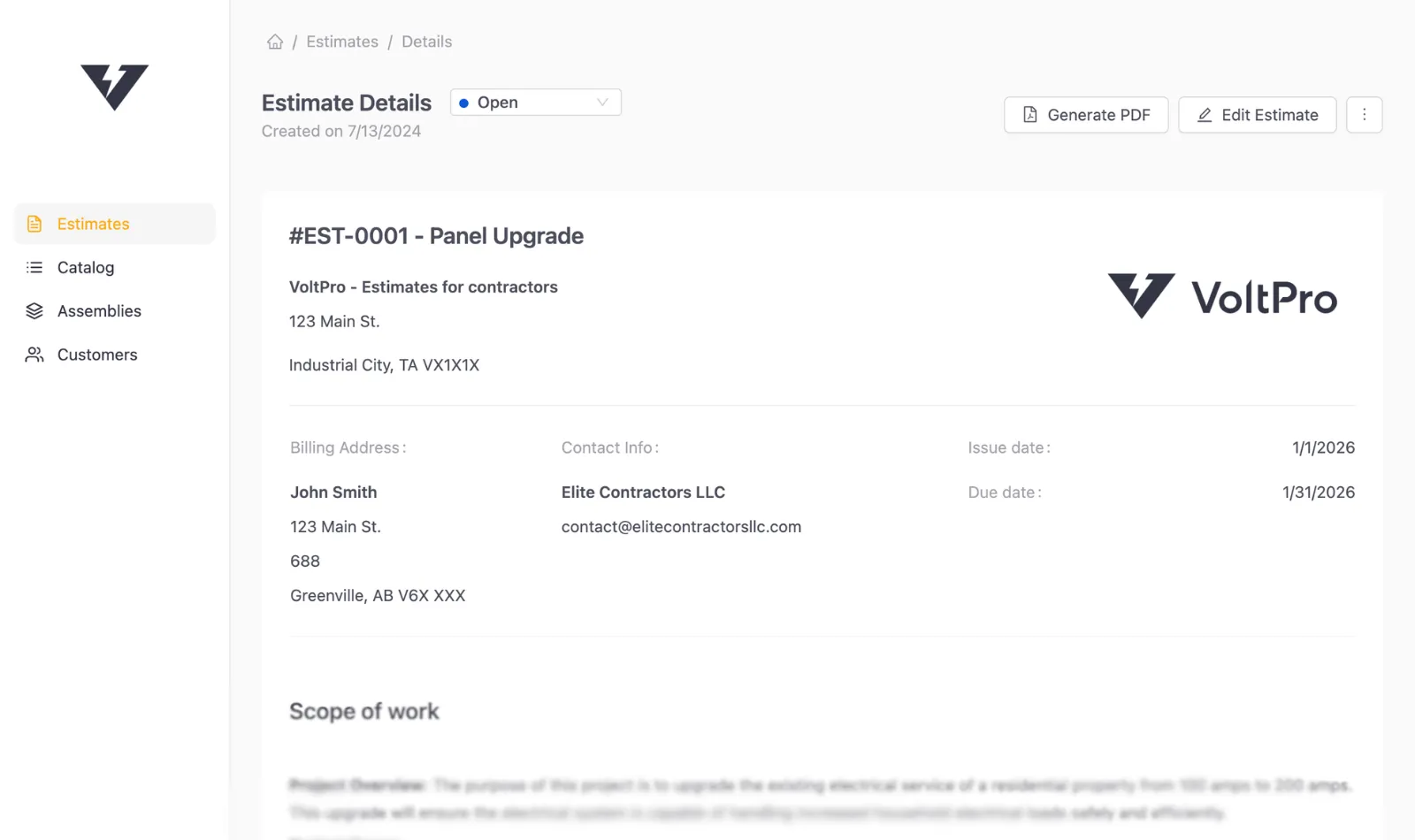
Contractor proposal software
Your proposals should look as good as your work.
Picture a $38k commercial panel upgrade. Two bids land in a customer's inbox. Same price. One looks like it came from a professional operation. One looks like a draft exported from a spreadsheet.
That second bid usually belongs to a contractor who does great work. The numbers are right. The PDF is not. The logo is cropped, the fonts are off, the scope of work reads like it was typed in a truck on the way to the next job. The estimate is solid. The proposal just doesn't show it.
The contractors we hear from most often didn't lose on price. They lost on signal. A proposal is the one artifact that sits in a customer's inbox for three days while they make up their mind. It gets forwarded to a property manager, printed out, and compared against the other bid the morning the decision happens.
How it works
From estimate to sent proposal.
Most contractors bring a spreadsheet they've been refining for years. The math is good. The proposal doesn't match it. Keep the spreadsheet. VoltPro handles everything after.
Step 1
Import or build your estimate
Upload your existing spreadsheet or build directly in VoltPro. No catalog to set up. The spreadsheet you've been refining for years is the starting point.
Step 2
Generate a branded proposal
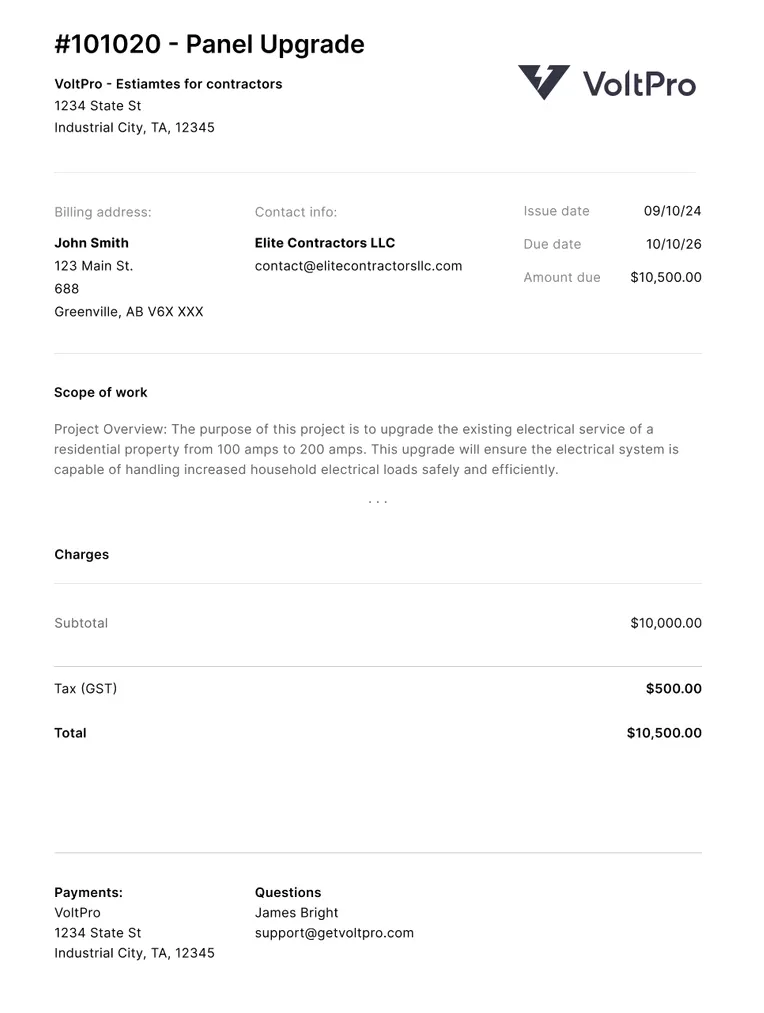
A PDF with your logo, scope of work, payment terms, and pricing. Choose what your customer sees: full line items, section totals, or a flat price.
Step 3
Send and stay organized
Every proposal saved and searchable by customer, job, or date. Find a bid from 14 months ago in seconds, not 45 minutes.
Real-time profit tracking
Know your profit before you send.
Specialty trade contractors averaged 6.9% net income before taxes in 2023.[1] Electrical contractors specifically net closer to 3% after taxes.[2] Three cents of every dollar that comes in the door.
Most contractors we talk to have the same story. They worked harder than last year. Won more bids. Still ended the year wondering where the money went. Usually it's not a pricing problem. It's a visibility problem. You find out you underpriced a job two weeks in, and by then there's nothing to fix.
VoltPro shows your margin as you build. Add a line item and the number updates. Move to the next section and it updates. You know your profit before you send anything.
There's a second problem most contractors don't catch. A 40% markup is a 28.6% margin. They're not the same number. Contractors who price using markup and think in margin are leaving money on the table on every job. VoltPro displays both so you're never guessing.
Built for trade proposals
Built for trade proposals, not generic documents.
Generic proposal tools were built for sales teams. They don't know what markup is. They don't know what a commercial panel upgrade scope of work looks like. They've never seen a change order.
VoltPro was built around how trade contractors actually price a job. Line items, labor, markup, margin, and scope of work all live in the same place. Build from scratch in the estimate builder or import your spreadsheet. Either way, everything downstream works.
-
Native estimate builder
Build line items, labor, and markup in one place. Totals and margins update in real time as you work. -
Branded PDF, automatically
Your logo and company details on every proposal. No formatting work required. -
Structured scope of work
Write it once. It carries over to every proposal from the same template. -
Payment terms and signature block
Your terms apply automatically. Clients have a clear place to sign off. -
Four detail levels
Show full line items, section totals, or a flat price. Your cost breakdown stays private. -
Searchable proposal history
Every bid stored and filterable. Find any past job in seconds. -
QuickBooks sync
Push estimates to QuickBooks with full line items, taxes, and discounts. No double entry.
Change orders
Scope changes without the chaos.
Specialty contractors lose 30% of project revenue to unbilled and unpaid change orders.[3]
The old process: duplicate the spreadsheet, make the changes, track what's different from the original yourself, export another PDF, email it, and hope the customer understands which version counts.
In VoltPro, a change order takes two clicks. Select which sections carry over. Add the new scope and pricing. VoltPro numbers it automatically. EST-001-CO-01 for the first change order on estimate EST-001. EST-001-CO-02 for the second. One PDF per change order, separate from the original.
The original bid and every revision stay side by side in your account. The customer receives a clean, numbered document. No confusion about which version was approved. Nothing settled with a handshake when there should be paperwork.
Stay organized
Every past proposal, right where you need it.
A customer calls about a panel replacement from 18 months ago. Their insurance needs the paperwork. You search your email, then a downloads folder, then an old version of Dropbox. Sometimes you find it. Sometimes you don't.
VoltPro stores every proposal permanently. Search by customer name, job address, or date. Find it in seconds, not 45 minutes.
Most trade contractors have three years of past bids scattered across email threads, a downloads folder, and a few Dropbox versions nobody can open anymore. The callbacks are always the same: a customer wants paperwork for their records, a property manager asks for the panel upgrade cost on their next building, a GC wants a comparable scope for a new bid. The estimate you already did is the fastest answer. That only works if you can find it.
The organized history also speeds up your next bid. A similar job comes in. Clone the past estimate, update the line items, adjust for current material prices, and a new proposal is ready. You're not starting from scratch.
How VoltPro compares
Stacked against the options most contractors already use.
Most contractors compare a short list before switching. Here's what each option actually does, and where VoltPro lands.
VoltPro
Proposal software built around how contractors already price jobs.
Free plan. Pro from $29/mo.
QuickBooks Quotes
A quote builder inside your accounting tool.
Included with QBO ($35+/mo).
Word / Excel Template
A blank document you fill in and reformat every time.
Free. Your time is the cost.
PandaDoc
A generic document platform built for sales teams.
$35–$65 per user / month.
Fit for trade contractors
Built for trade contractors
Trade-specific scope of work
Spreadsheet / CSV import
Estimating & pricing
Native estimate builder
Real-time profit tracking
QuickBooks integration
Proposal output
Branded PDF output
PDF with signature block
Digital e-sign
Revisions & history
Change orders
Searchable proposal history
Works on your phone
Getting started
Setup time
Price
VoltPro
Free plan. Pro from $29/mo.
QuickBooks Quotes
Included with QBO ($35+/mo).
Word / Excel Template
Free. Your time is the cost.
PandaDoc
$35–$65 per user / month.
Fit for trade contractors
Built for trade contractors
- VoltPro
- Electrical, HVAC, plumbing.
- QuickBooks Quotes
- Generic accounting output.
- Word / Excel Template
- Blank document.
- PandaDoc
- Built for sales teams.
Trade-specific scope of work
- VoltPro
- Structured, saved, auto-applies.
- QuickBooks Quotes
- Word / Excel Template
- Manual.
- PandaDoc
Spreadsheet / CSV import
- VoltPro
- Line items import instantly.
- QuickBooks Quotes
- Re-enter manually.
- Word / Excel Template
- You are the spreadsheet.
- PandaDoc
- Build from scratch.
Estimating & pricing
Native estimate builder
- VoltPro
- Real-time totals and margins.
- QuickBooks Quotes
- Quote builder only. No margin view.
- Word / Excel Template
- Manual spreadsheet.
- PandaDoc
- Document builder only.
Real-time profit tracking
- VoltPro
- Margin updates as you type.
- QuickBooks Quotes
- Word / Excel Template
- Manual calculation.
- PandaDoc
- Static pricing table.
QuickBooks integration
- VoltPro
- Customers, estimates, tax codes.
- QuickBooks Quotes
- Word / Excel Template
- PandaDoc
Proposal output
Branded PDF output
- VoltPro
- Logo, scope, terms, automatic layout.
- QuickBooks Quotes
- Basic QuickBooks formatting.
- Word / Excel Template
- Manual formatting required.
- PandaDoc
- Template-based, manual fill.
PDF with signature block
- VoltPro
- QuickBooks Quotes
- Word / Excel Template
- PandaDoc
Digital e-sign
- VoltPro
- PDF signature block. Hosted portal coming soon.
- QuickBooks Quotes
- Word / Excel Template
- PandaDoc
Revisions & history
Change orders
- VoltPro
- Two clicks, numbered PDF, project summary.
- QuickBooks Quotes
- Word / Excel Template
- Duplicate spreadsheet manually.
- PandaDoc
Searchable proposal history
- VoltPro
- Every bid stored, filterable.
- QuickBooks Quotes
- Limited.
- Word / Excel Template
- Folder and email search.
- PandaDoc
- Document storage.
Works on your phone
- VoltPro
- Responsive web app.
- QuickBooks Quotes
- Word / Excel Template
- Barely. Formatting breaks.
- PandaDoc
Getting started
Setup time
- VoltPro
- Minutes. No catalog required.
- QuickBooks Quotes
- QBO account + manual entry.
- Word / Excel Template
- Immediate.
- PandaDoc
- Hours. Template build required.
Price
- VoltPro
- Free plan. Pro: flat monthly fee.
- QuickBooks Quotes
- Included with QBO ($35+/mo).
- Word / Excel Template
- Free. Your time is the cost.
- PandaDoc
- $35–$65 per user / month.
A note on
QuickBooks Quotes
Many trade contractors already use QuickBooks Online every day. QBO estimates are a real option, and they have a clean look with logo support. The gap is in the workflow: you have to re-enter your spreadsheet estimate into QBO manually, there's no real-time margin visibility as you build, the output is a plain line-item table with no trade-specific scope of work, and there's no change order workflow tied to the original estimate. VoltPro syncs with QBO. Both tools keep doing what they're good at.
I'm a lot more confident sending bids now. Before VoltPro I was using a Word doc template and it looked rough. Now every proposal looks a lot more professional.
Frequently asked questions.
Resources
- [1]
Construction Financial Management Association (CFMA), 2024 Construction Financial Benchmarker . Annual survey of 1,290 US construction companies (fiscal year 2023). Cited for the 6.9% average net income before taxes across specialty trade contractors.
- [2]
National Electrical Contractors Association, Financial Benchmarker Annual Survey . Annual benchmark of electrical contractor margin, labor, and overhead data. Cited for the 3% average net profit after taxes among electrical contractors.
- [3]
Dodge Construction Network & Procore, 2022. Top Business Issues for Specialty Contractors . Industry survey of specialty contractors across the US, UK, Canada, and Australia/New Zealand. Cited for the 30% of project revenue lost to unbilled and unpaid change orders.
Start your first proposal today.
Build your first proposal today. No credit card. No commitment.
Create your first proposalIncludes one free proposal every month.