
VoltPro had the ability to link labor time directly to your materials. This means no more guessing installation time. VoltPro now saves you from doing the math.
- Set Your Default Rates
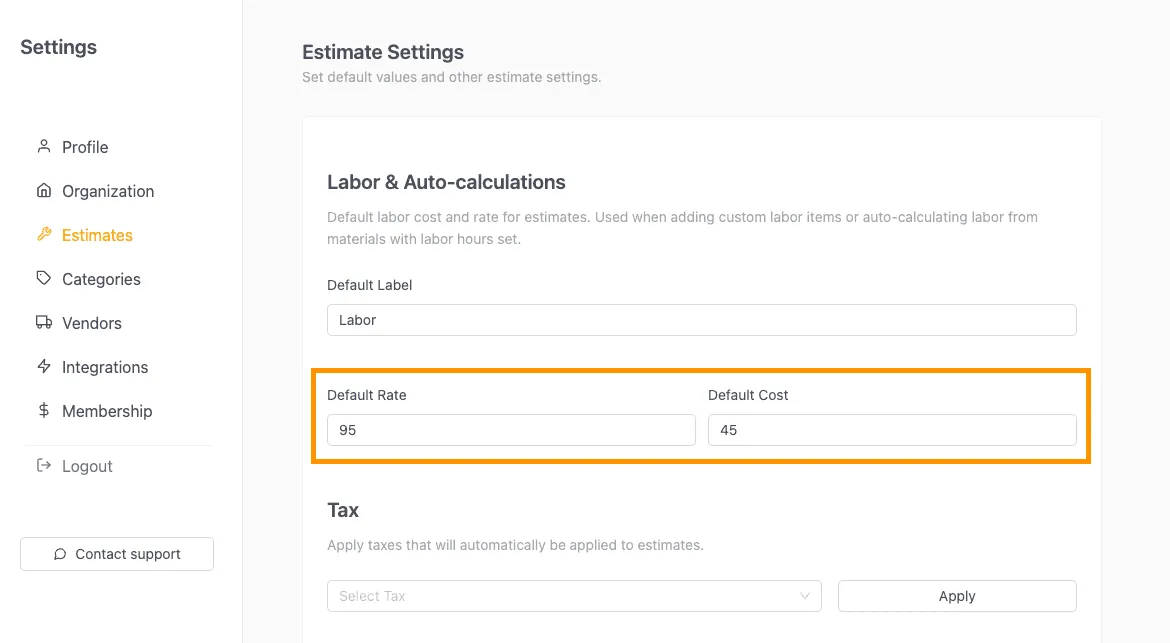
Head to Settings > Estimate Settings to define your default labor rate (what you charge) and labor cost (what you pay). VoltPro uses these values to calculate your totals and profit.
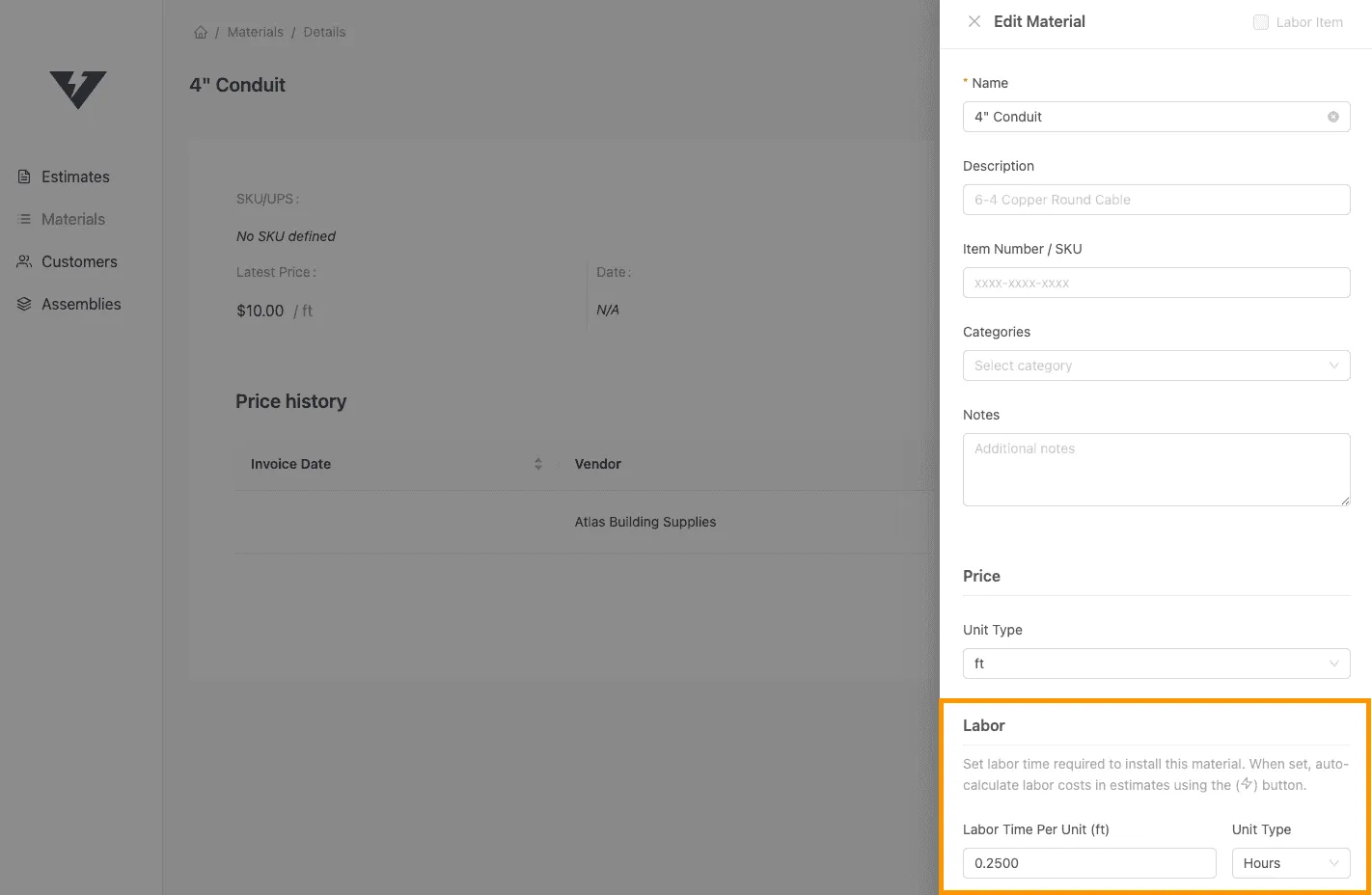
- Set Labor Amounts to Materials When creating or editing a material in the Materials tab, you will see a new Labor section. Enter the install time required per unit (e.g., “15 minutes” or “0.25 hours” per foot of conduit).
- One-Click Calculation:
In the estimate editor, look for the new Auto-calculate labor icon on the material line items where you added labor amounts. Click it to instantly calculate the total hours needed for that item based on the quantity in your estimate.
- Review Your Profit
Hover over the lock icon next to the calculated labor to see a full breakdown of your labor cost, price, and projected profit for that specific item. Labor also gets added to the overall profit breakdown.