

As we wrap up 2025, the team want to sincerely thank you for your support and feedback during the development of VoltPro this year. We wish you a very happy holiday season and a prosperous New Year!
To close out the year, we’ve released a powerful new update to help you dial in your estimate labor calculations:
Automated Labor Calculations
We’ve added the ability to link labor time directly to your materials. This means no more guessing installation time. VoltPro now saves you from doing the math.
Set Labor Amounts to Materials
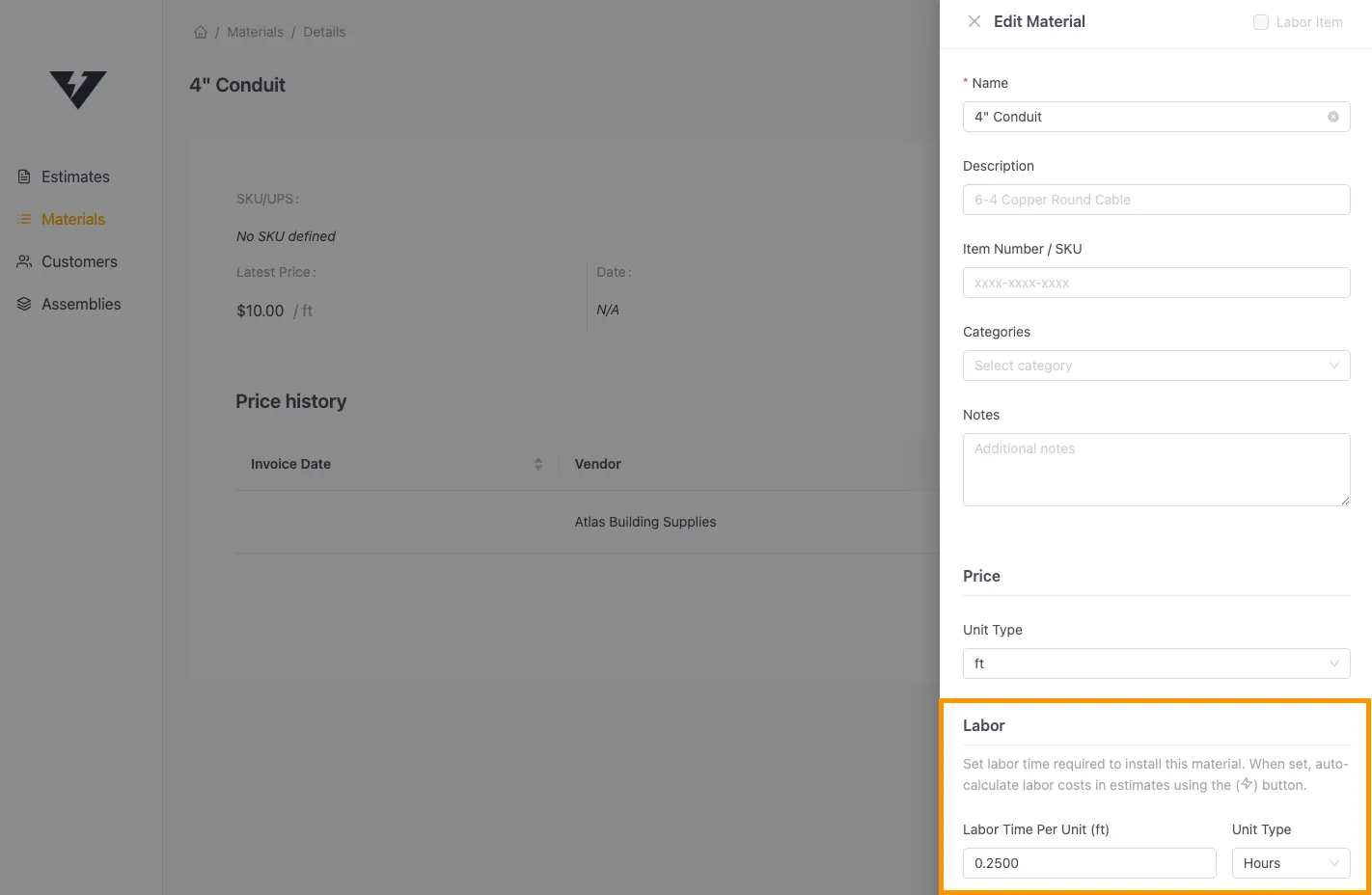
When creating or editing a material in the Materials tab, you will see a new Labor section. Enter the install time required per unit (e.g., “15 minutes” or “0.25 hours” per foot of conduit).
Set Your Default Rates
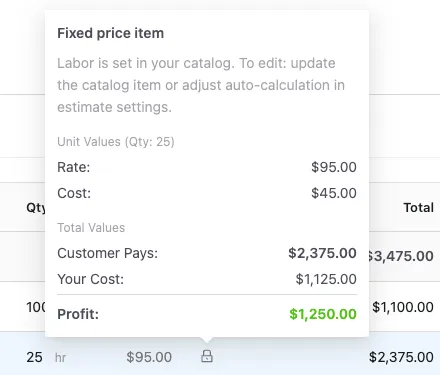
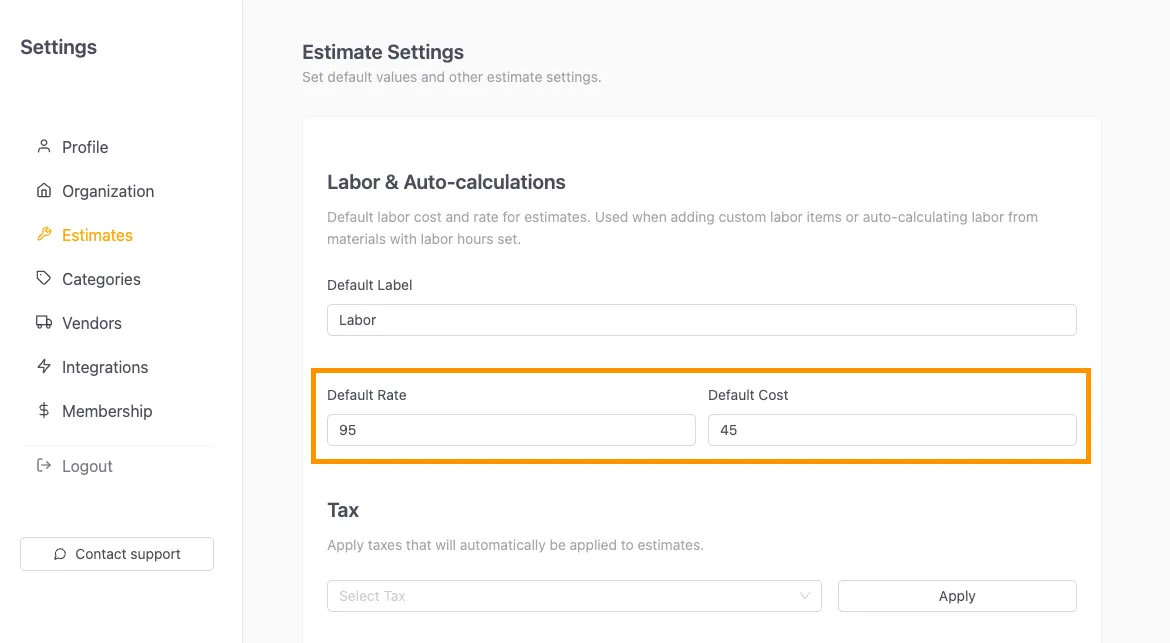
Head to Settings > Estimate Settings to define your default labor rate (what you charge) and labor cost (what you pay). VoltPro uses these values to calculate your totals and profit.
One-Click Calculation

In the estimate editor, look for the new Auto-calculate labor icon on your line items. Click it to instantly calculate the total hours needed for that item based on the quantity in your estimate.
Review Your Profit
Hover over the lock icon next to the calculated labor to see a full breakdown of your labor cost, price, and projected profit for that specific item. Labor also gets added to the overall profit breakdown.
Other updates
We’ve also made these additional updates for a better overall experience:
-
Master quantity list (Order sheet) now summarizes quantities for multiple lines of the same estimate item
-
Improved the drag and drop vendor invoice functionality
-
Fixed various bugs and small issues
Have questions or suggestions for what we should build in 2026? We’d love to hear from you! Email us directly at support@getvoltpro.com. Our team is actively developing features based on feedback from users like you.
More updates soon.